Secure Order
Activation code required before purchase
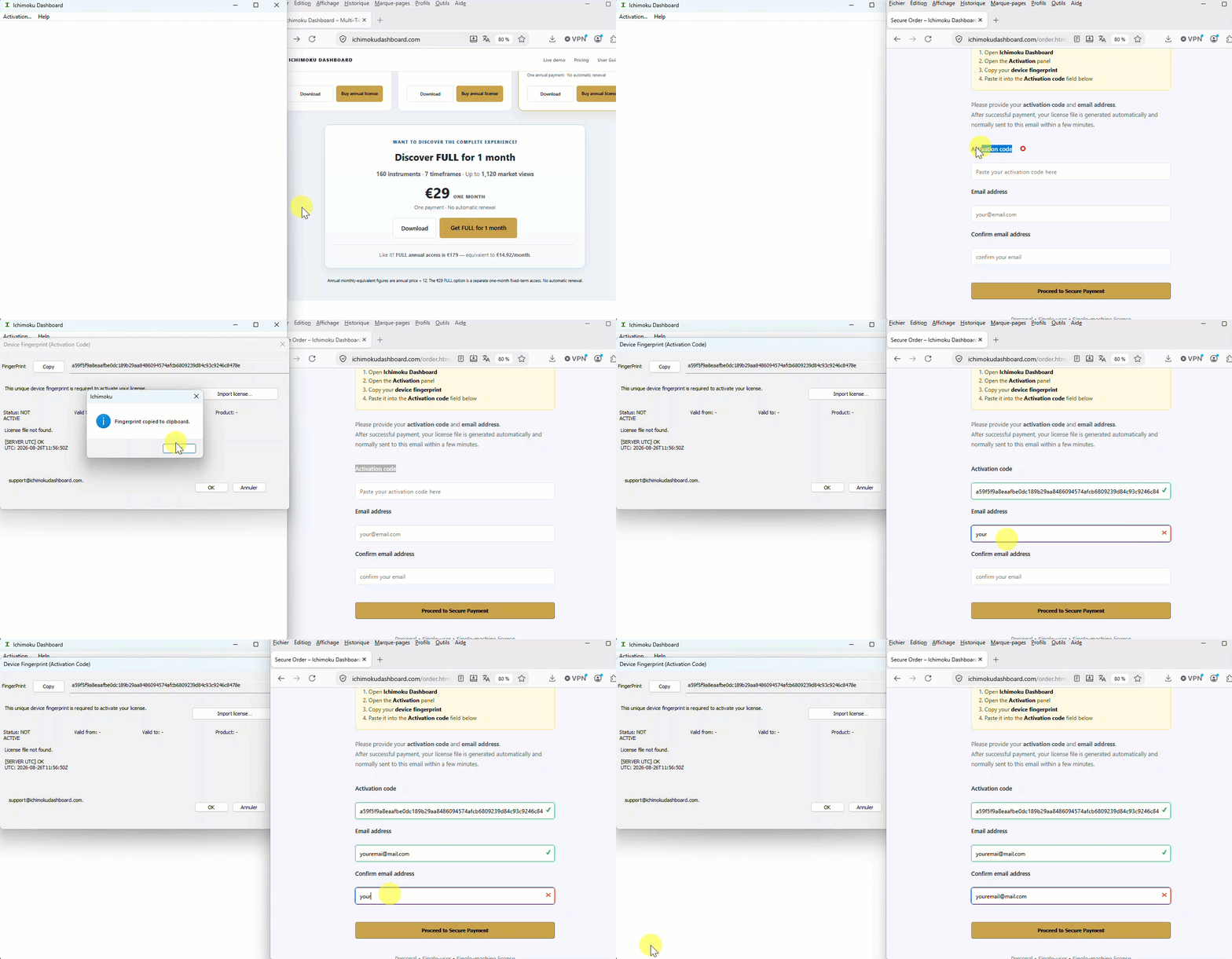
Before purchasing, download and install your selected Ichimoku Dashboard version from the main website.
Then:
1. Open Ichimoku Dashboard
2. Open the Activation panel
3. Copy your device fingerprint
4. Paste it into the Activation code field below
Before purchasing, download and install your selected Ichimoku Dashboard version from the main website.
Then:
1. Open Ichimoku Dashboard
2. Open the Activation panel
3. Copy your device fingerprint
4. Paste it into the Activation code field below
NEED HELP?
Find your device activation code
Open Ichimoku Dashboard → Activation, copy the device fingerprint shown there, then paste it into the field below.
Watch the complete ordering guide
Please provide your activation code and
email address.
After successful payment, your license file is generated automatically
and normally sent to this email within a few minutes.
Personal • Single-user • Single-machine license